Features
Everything you need to set boundaries that hold.
Gadget Minder runs on your child's Android phone or tablet and answers to your phone. Every control below is applied from the parent app and takes effect within seconds — including handing back extra time when it has been earned.
What makes Gadget Minder different
Give time back as a reward, not just take it away
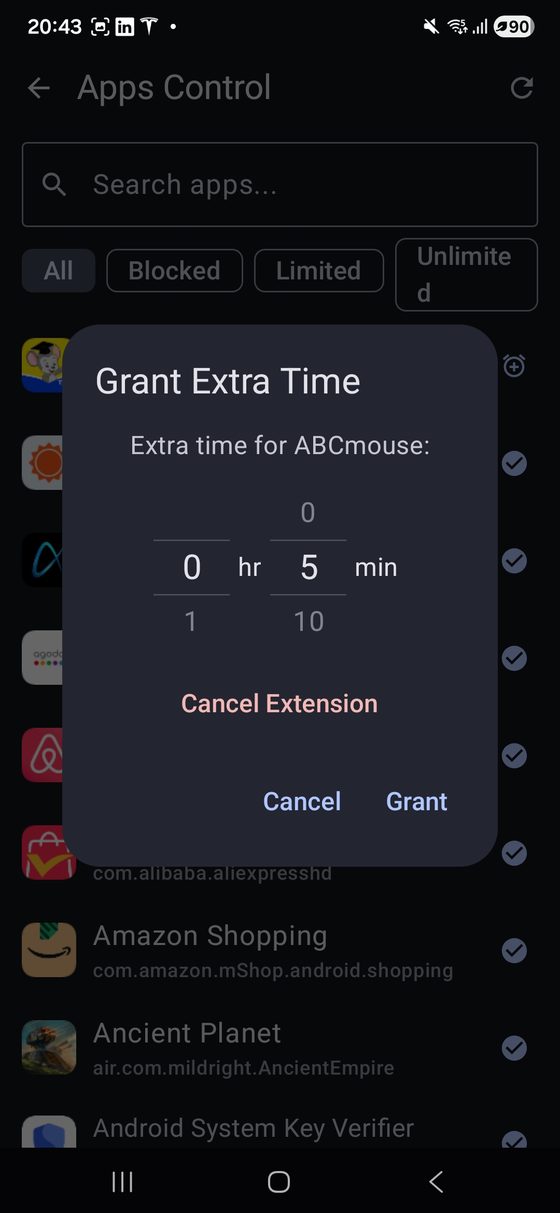
Most parental controls only subtract: a limit runs out and the argument starts. Gadget Minder works the other way round too. Homework finished early, chores done, a good week at school — grant extra minutes from your phone and they land on your child's device within seconds.
The extension applies to the app you choose without disturbing its normal daily limit, so tomorrow goes back to the usual rules automatically. Your child gets a notification telling them the time was granted, which turns a rule into something they earned.
Changed your mind, or the chores never actually happened? Cancel the extension and the limit returns to normal immediately.
Block apps, or give them a daily limit
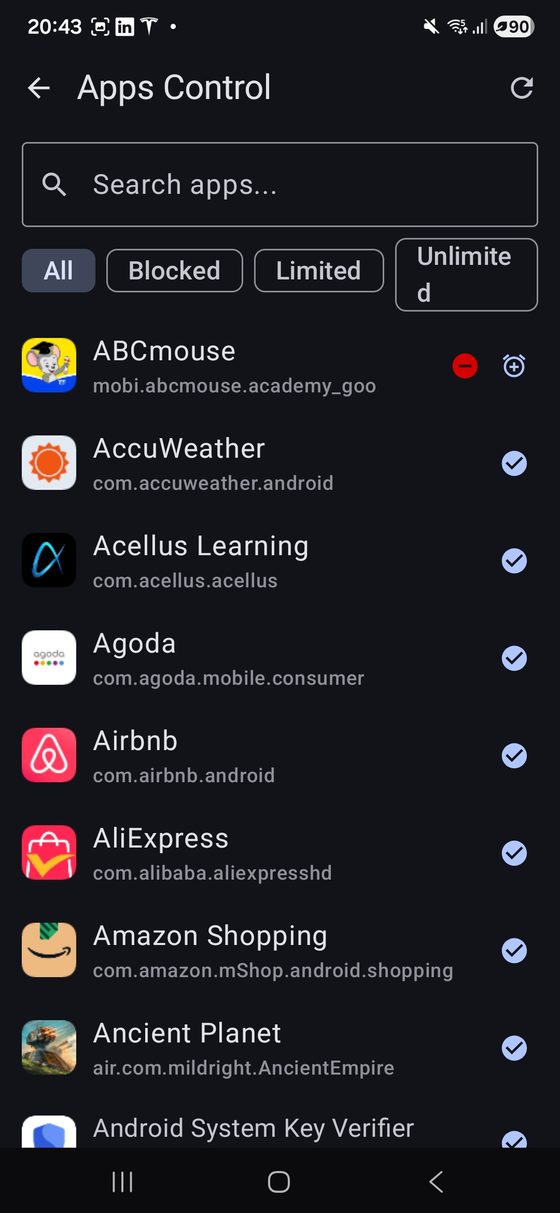
Every app installed on the child's device appears in one searchable list, filterable by whether it is blocked, limited or unrestricted. Each app gets one of three settings:
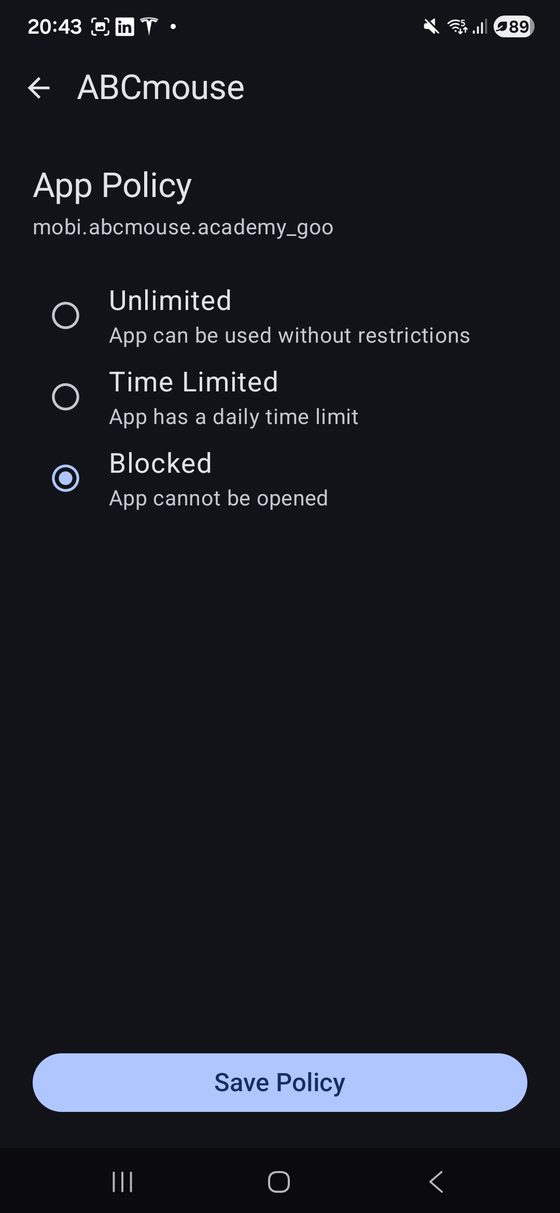
- Unlimited — no restrictions
- Time limited — a daily allowance you choose, in minutes
- Blocked — the app cannot be opened at all
When a limit runs out or a blocked app is opened, a lock screen covers it. Getting past it needs your PIN.
Filter websites across every browser
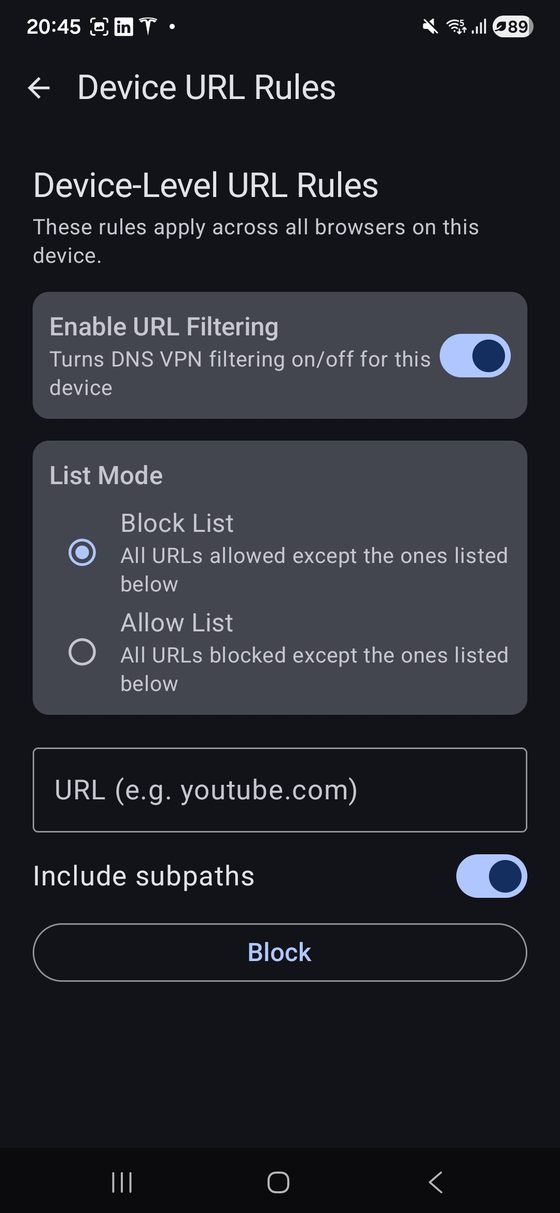
Website rules are applied on the device itself rather than inside one browser, so installing a different browser does not get around them. Choose the approach that fits your family:
- Block list — everything is allowed except the sites you name
- Allow list — everything is blocked except the sites you approve
Rules can cover a whole domain and its subpages, and filtering can be switched off per device whenever you want.
Schedules, remote lock and a locator alarm
Set the hours the device may be used — school time, bedtime, family meals — and it locks itself outside them. Need the phone down right now? Lock it on demand from your phone, and unlock it with your PIN.
If the device is lost somewhere in the house, trigger an alarm that sounds until someone picks it up.
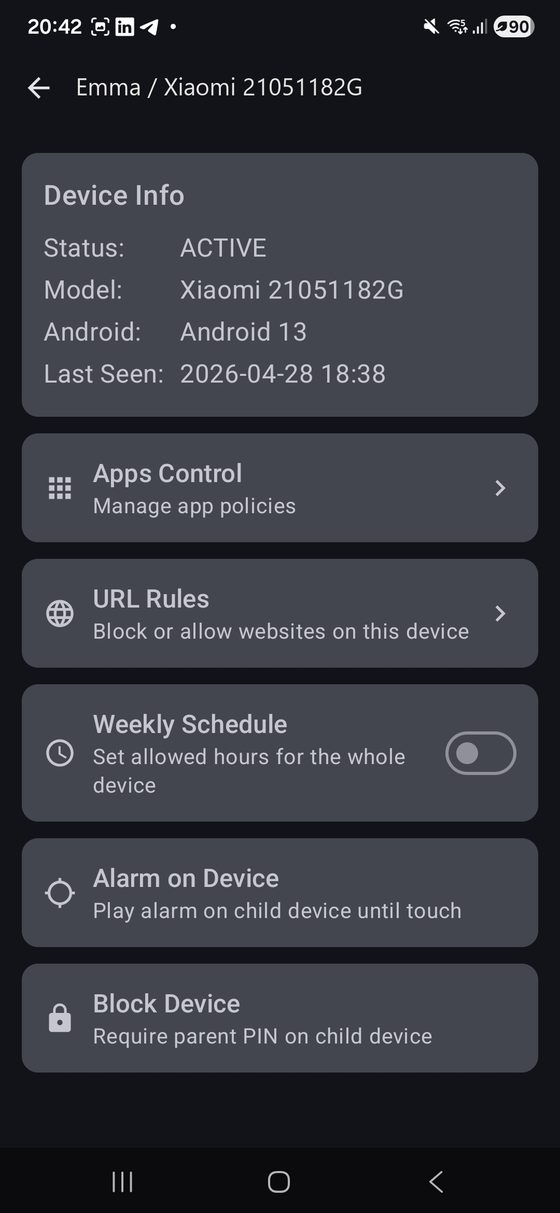
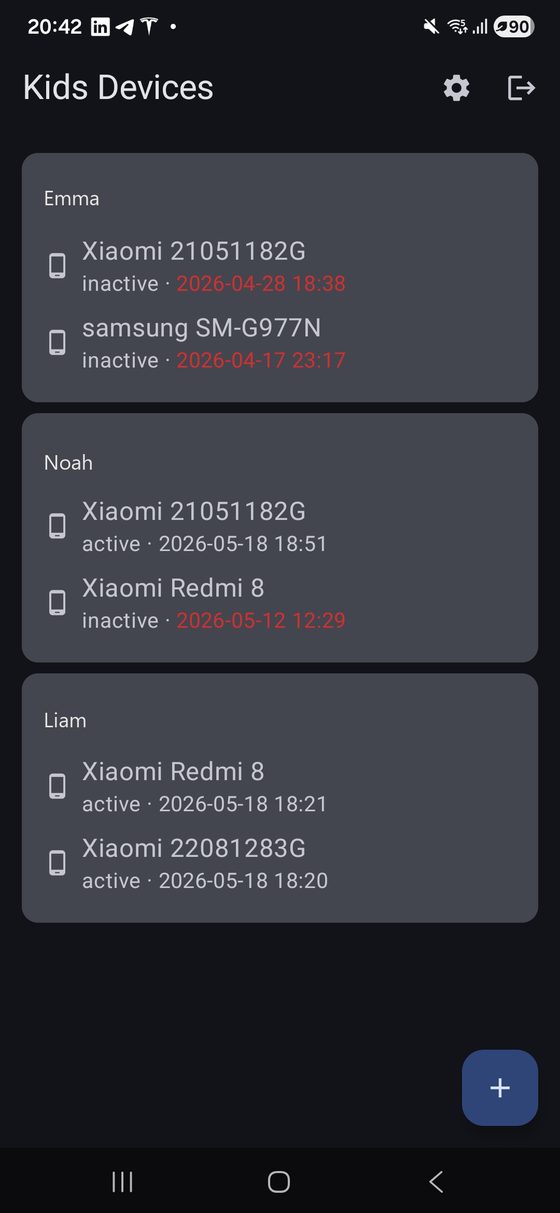
Every child, every device, one screen
Children are listed with all of their paired devices, each showing whether it is currently reporting in and when it was last seen. If a device stops checking in, you will notice.
Adding another device takes a one-time pairing code generated in the parent app, and each device keeps its own rules — a tablet can have different limits from a phone.
Hard to switch off
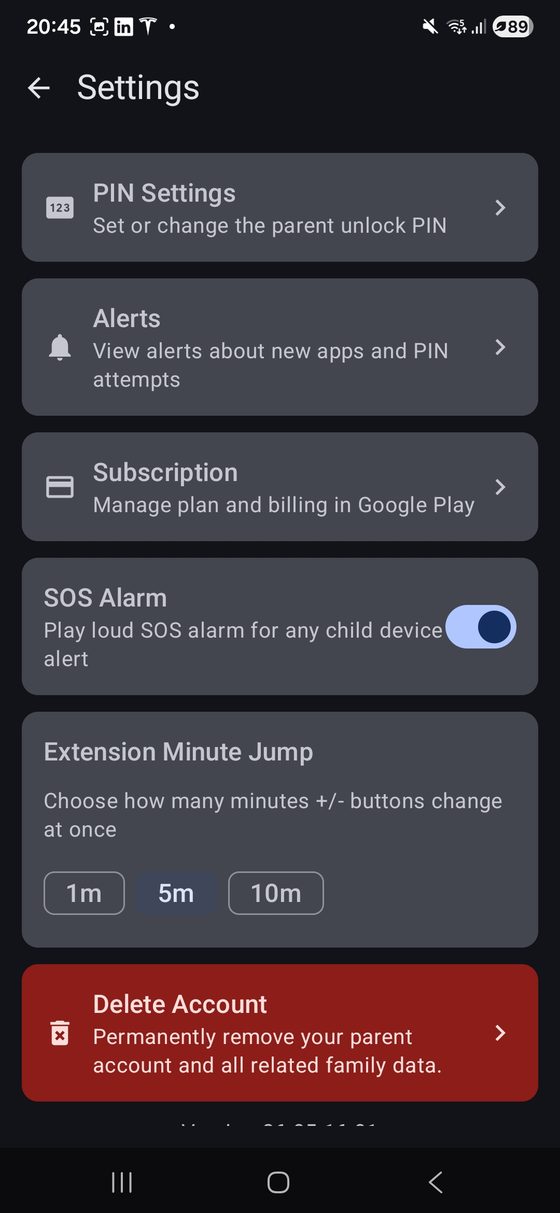
Controls are only worth having if they survive contact with a determined child. Gadget Minder protects the settings that would disable it behind your PIN, requires that PIN to uninstall, and restarts its monitoring automatically if the system shuts it down.
You are alerted when a new app is installed, and when someone repeatedly enters the wrong PIN. Wi-Fi, Bluetooth and other harmless settings stay available, so the phone still works as a phone.
No parental control on Android is impossible to defeat. Gadget Minder is built to stop the everyday attempts — force-stopping it, clearing its data, or removing it from Settings.
What Gadget Minder does not do
It does not read messages or call logs, and it does not track location. Website rules are applied on the device and browsing history is never sent to our servers. What we collect is limited to what enforcing limits actually requires: which apps are installed, and how long each is used.
Read the privacy policyTry it during the beta
Gadget Minder is in active testing on Android 9 and later. Beta testers help shape it — and keep 50% off for a full year when we launch.